

Free IFRS 18 reporting: turn a trial balance into the new statement of profit or loss
Turn a trial balance into an IFRS 18 statement of profit or loss, with the new categories, MPM notes, comparatives and transition, ready for 1 January 2027. Free, and your data stays on your PC.
Platform: Windows 10/11 (64-bit) · Free · Works offline · IFRS 18 effective 1 January 2027
IFRS 18 statements from your trial balance
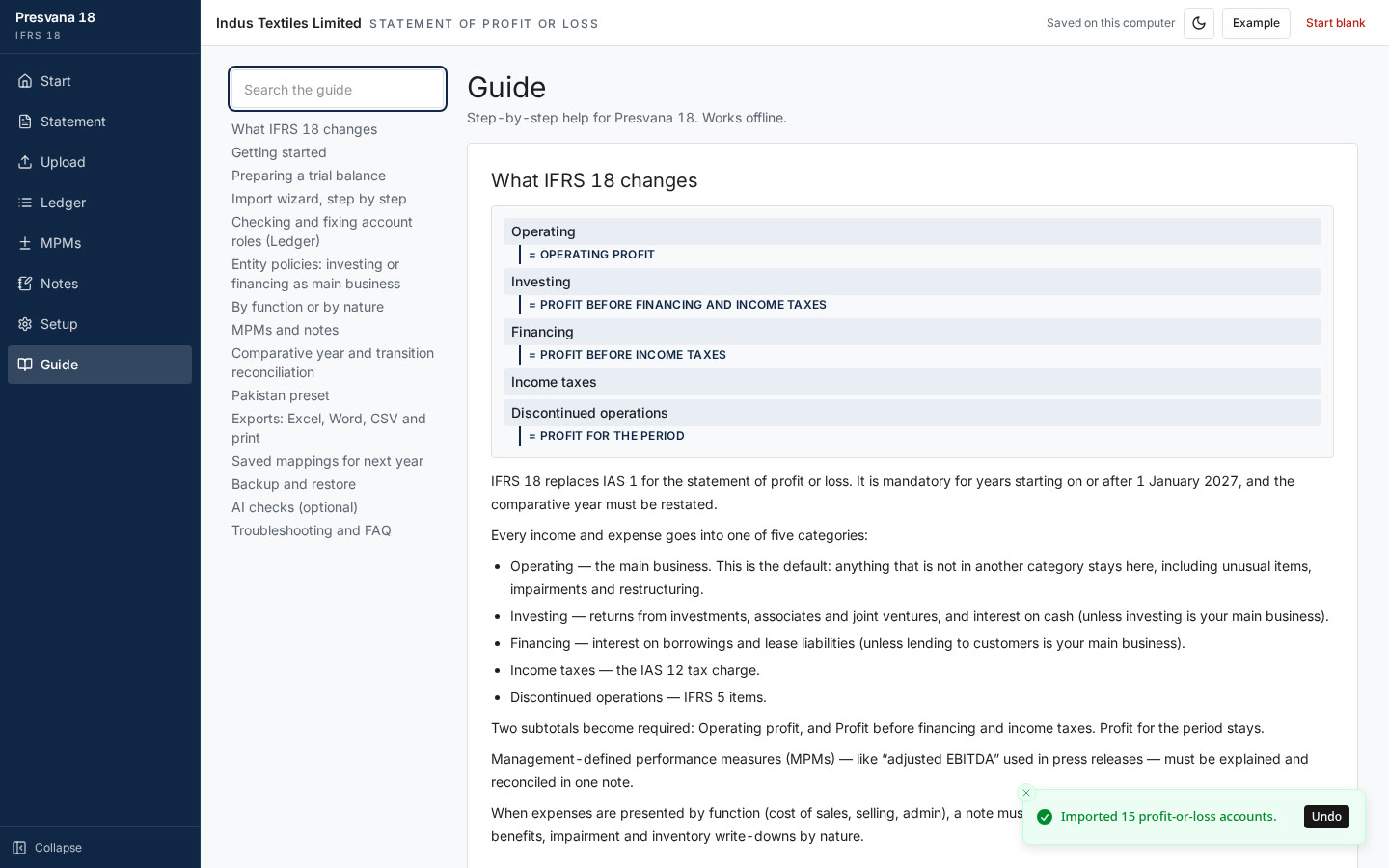
IFRS 18 Presentation and Disclosure in Financial Statements replaces IAS 1 for annual periods beginning on or after 1 January 2027, and it changes the statement of profit or loss for every IFRS reporter. Presvana does the heavy lifting.
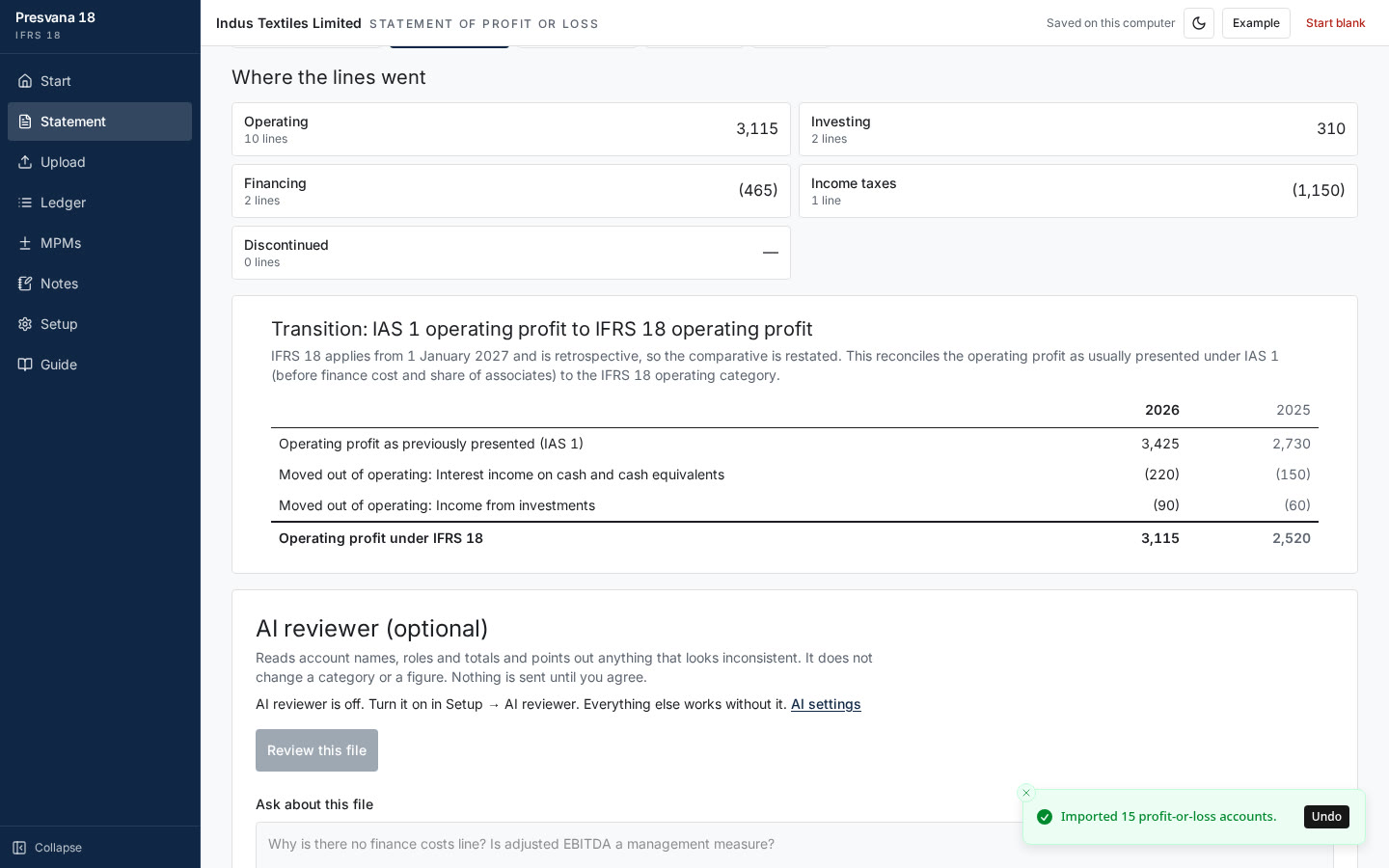
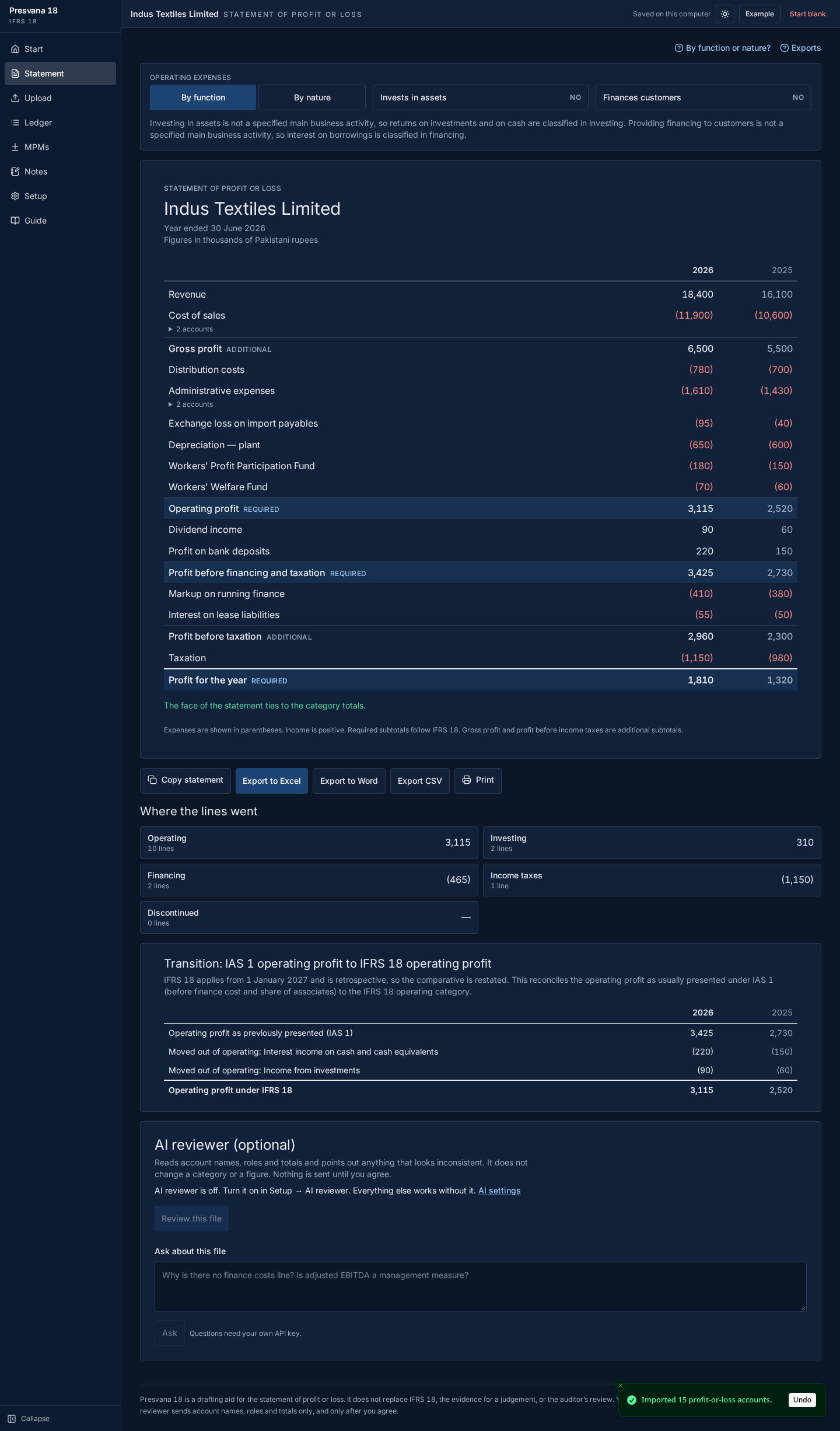
Import your trial balance from Excel or CSV, map each account once, and Presvana classifies it into the five new IFRS 18 categories: operating, investing, financing, income taxes and discontinued operations. It builds the required subtotals, operating profit and profit before financing and income taxes, automatically.
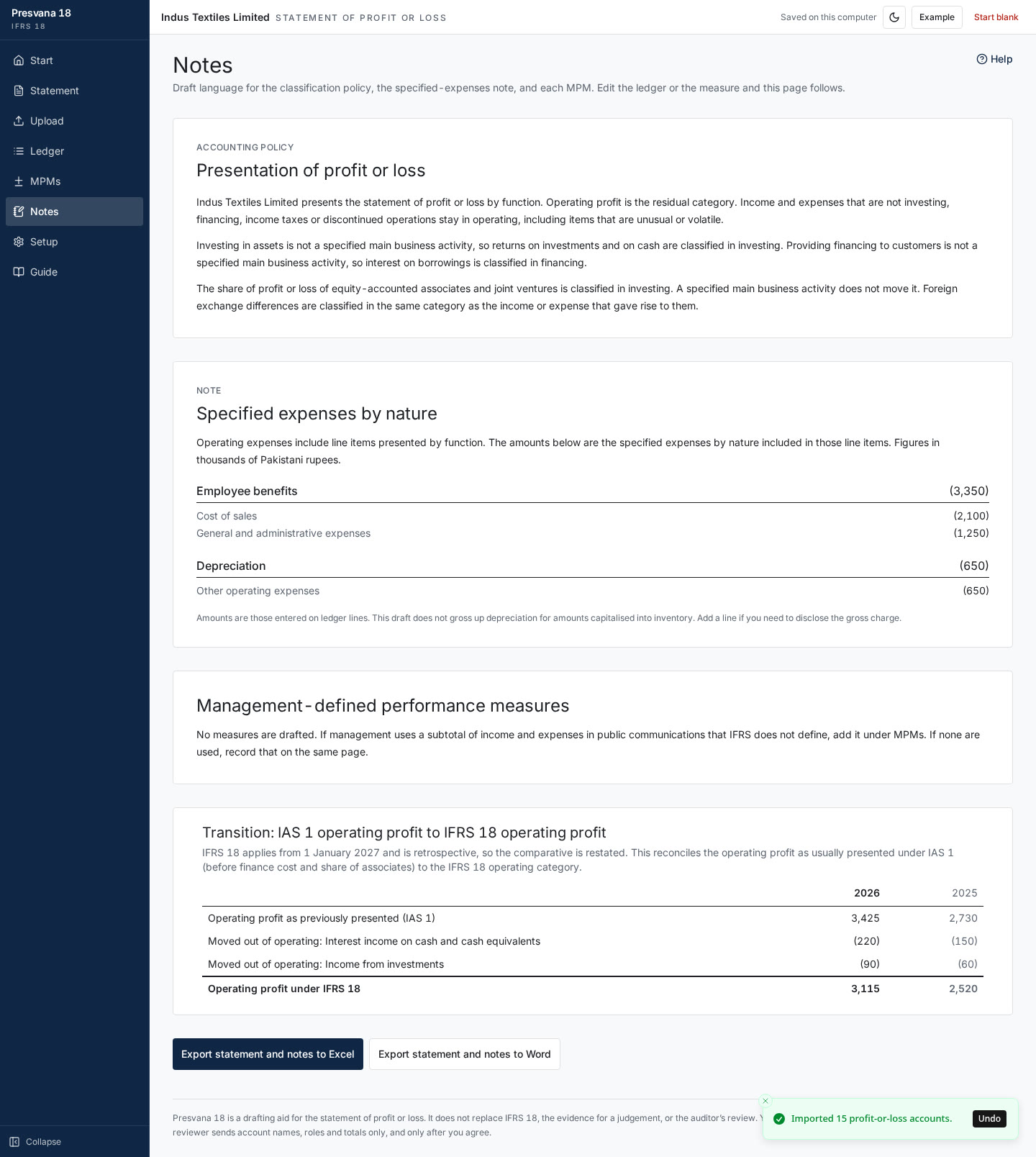
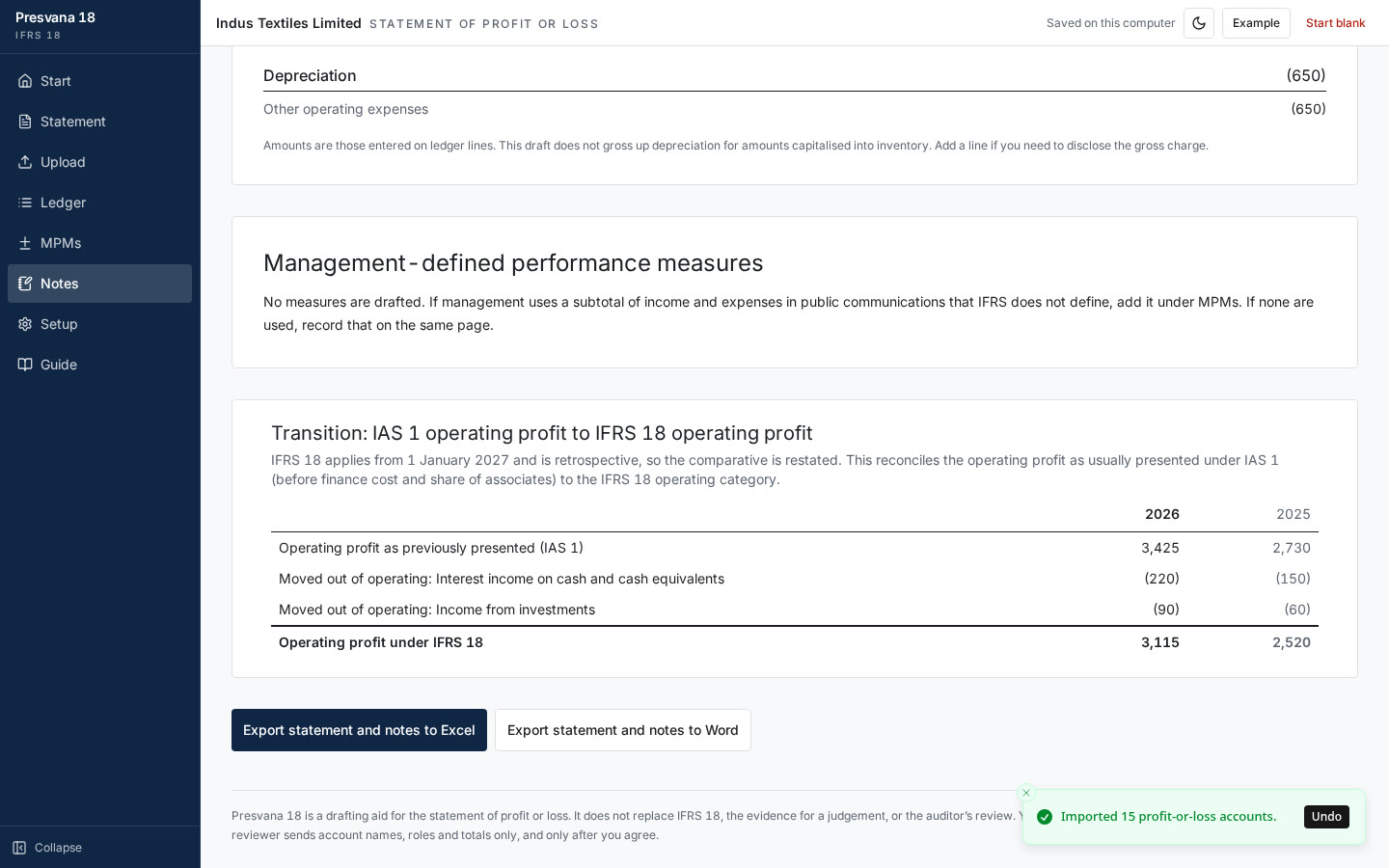
Present expenses by function or by nature, add prior-year comparatives, and see the IAS 1 to IFRS 18 transition reconciliation side by side. Management-defined performance measures (MPMs) get their own notes with reconciliations to the IFRS subtotals.
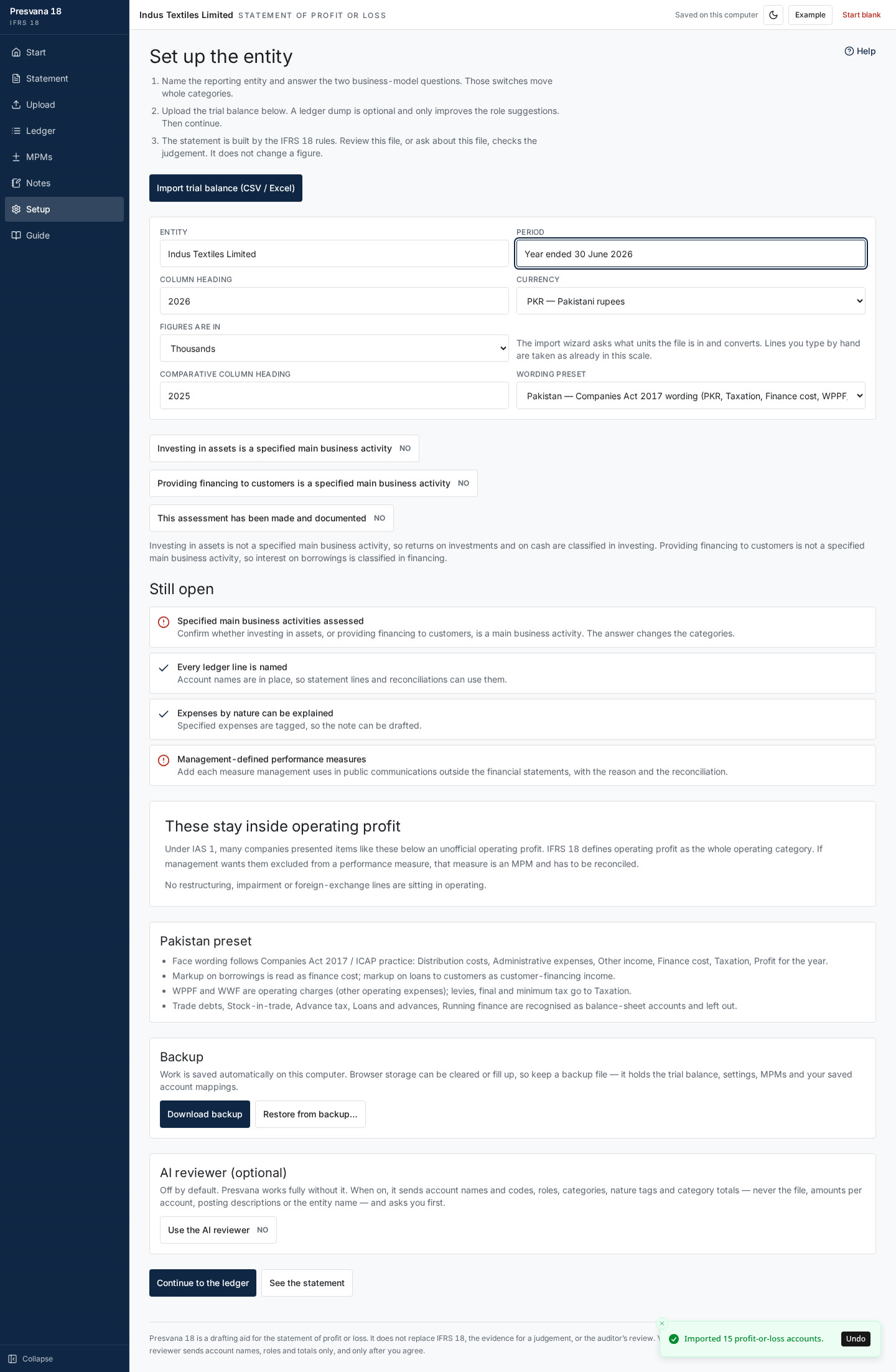
Export the finished statement and notes to Excel or Word. A Pakistan preset gets local users started quickly, mappings are saved for next year, and backup and restore keep your work safe.
Optional AI checks review your mapping and flag accounts that look misclassified: 20 free checks per device, or bring your own Groq, Gemini or xAI key. Everything else works fully offline, and your figures stay on your PC.
Presvana is free to download and use. Questions or ideas? Email info@wickedsystemstudio.com.
Everything in Presvana 1.0
- Free to download and use
- Trial balance import from Excel and CSV, with a guided import wizard
- The five IFRS 18 categories: operating, investing, financing, income taxes and discontinued operations
- Required subtotals: operating profit and profit before financing and income taxes
- Expenses by function or by nature
- Management-defined performance measure (MPM) notes with reconciliations
- Prior-year comparatives and the IAS 1 to IFRS 18 transition reconciliation
- Export to Excel and Word
- Pakistan preset to get started quickly
- Saved mappings you can reuse next year
- Backup and restore
- AI checks: 20 free per device, or bring your own Groq, Gemini or xAI key
- Works offline; your data stays on your PC
- Light and dark mode, with a built-in guide
See it step by step
A full walkthrough: import a trial balance, map accounts, build the IFRS 18 statement, notes and transition, then export.
Inside the app
Real screenshots using the app's sample trial balance.
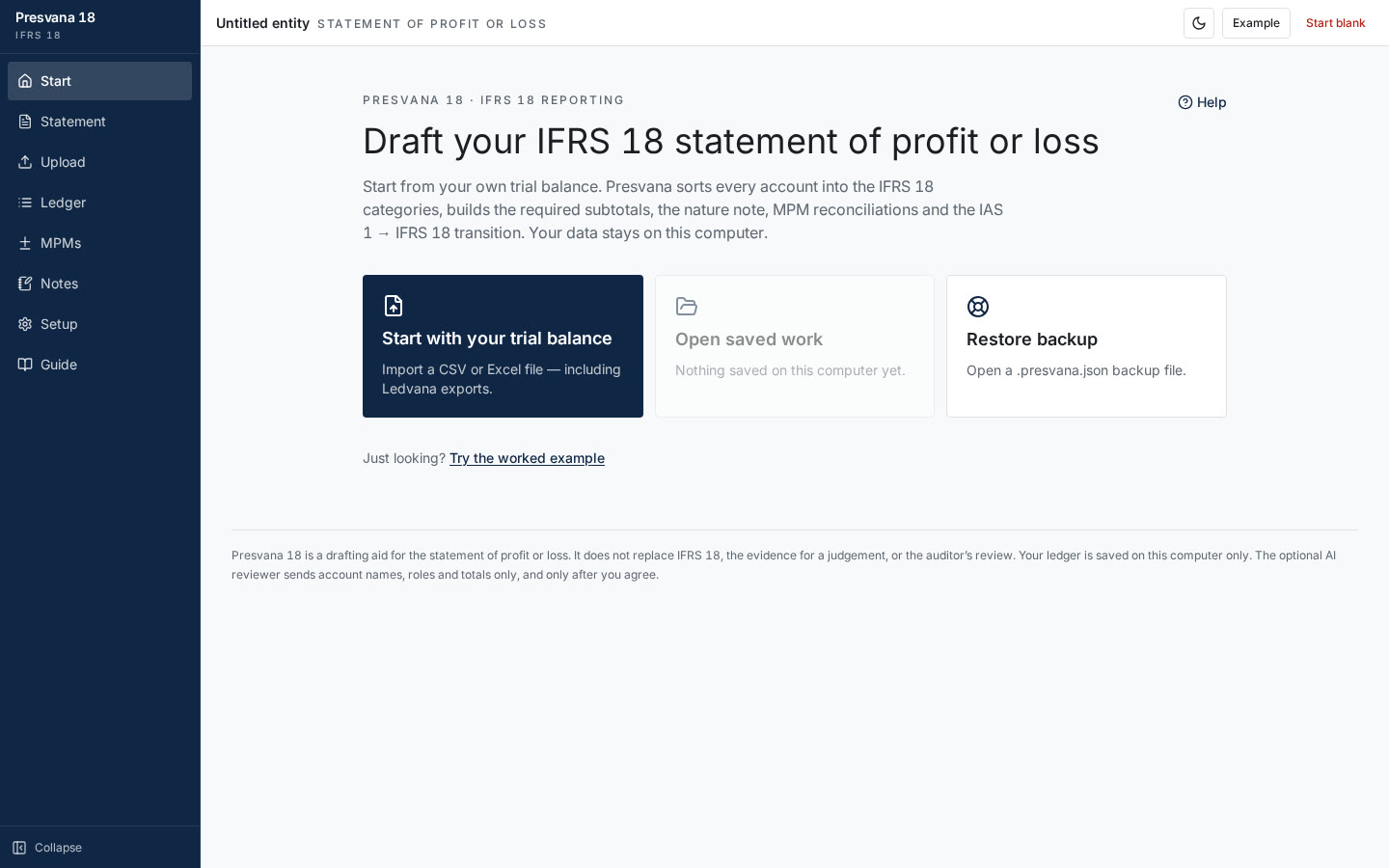
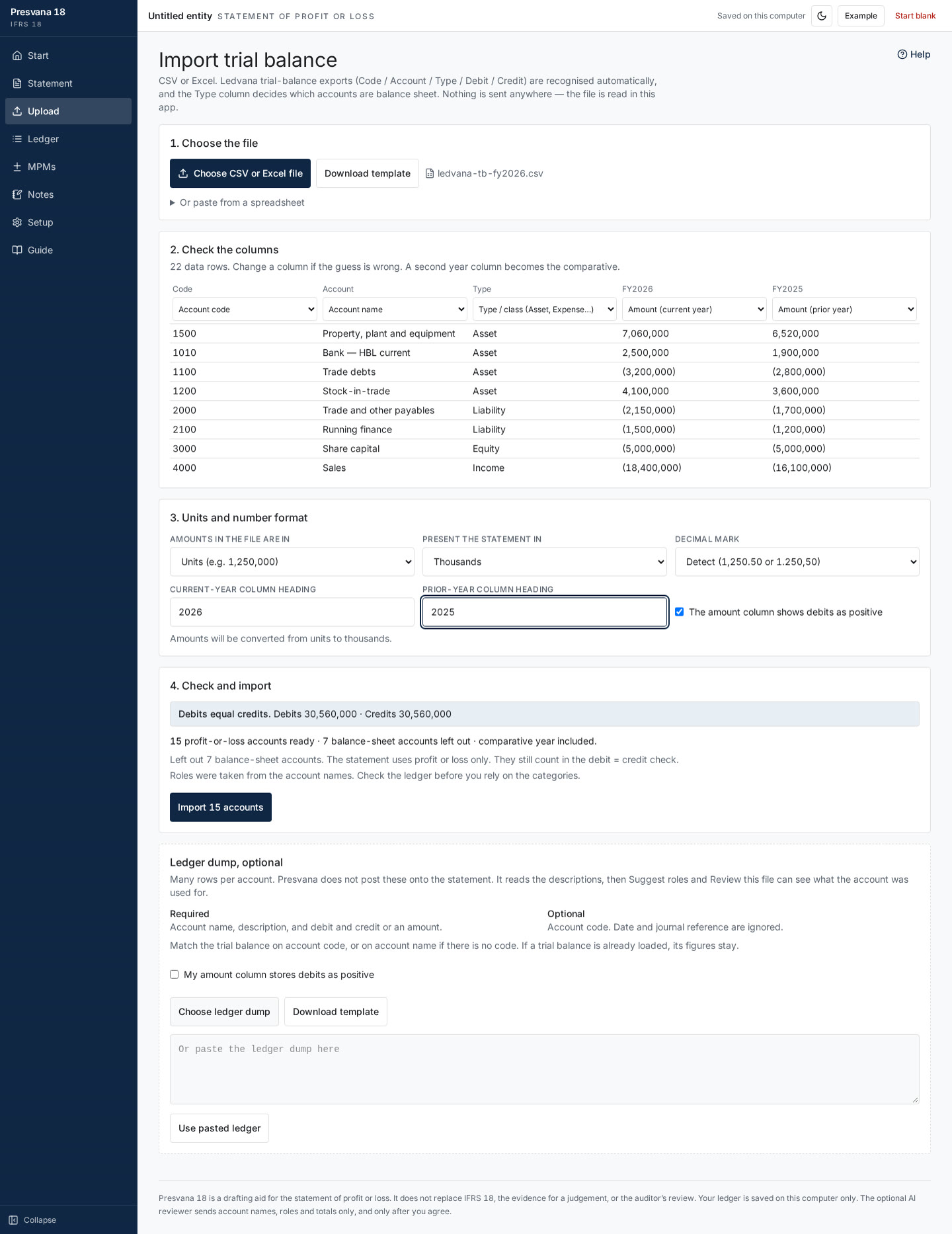
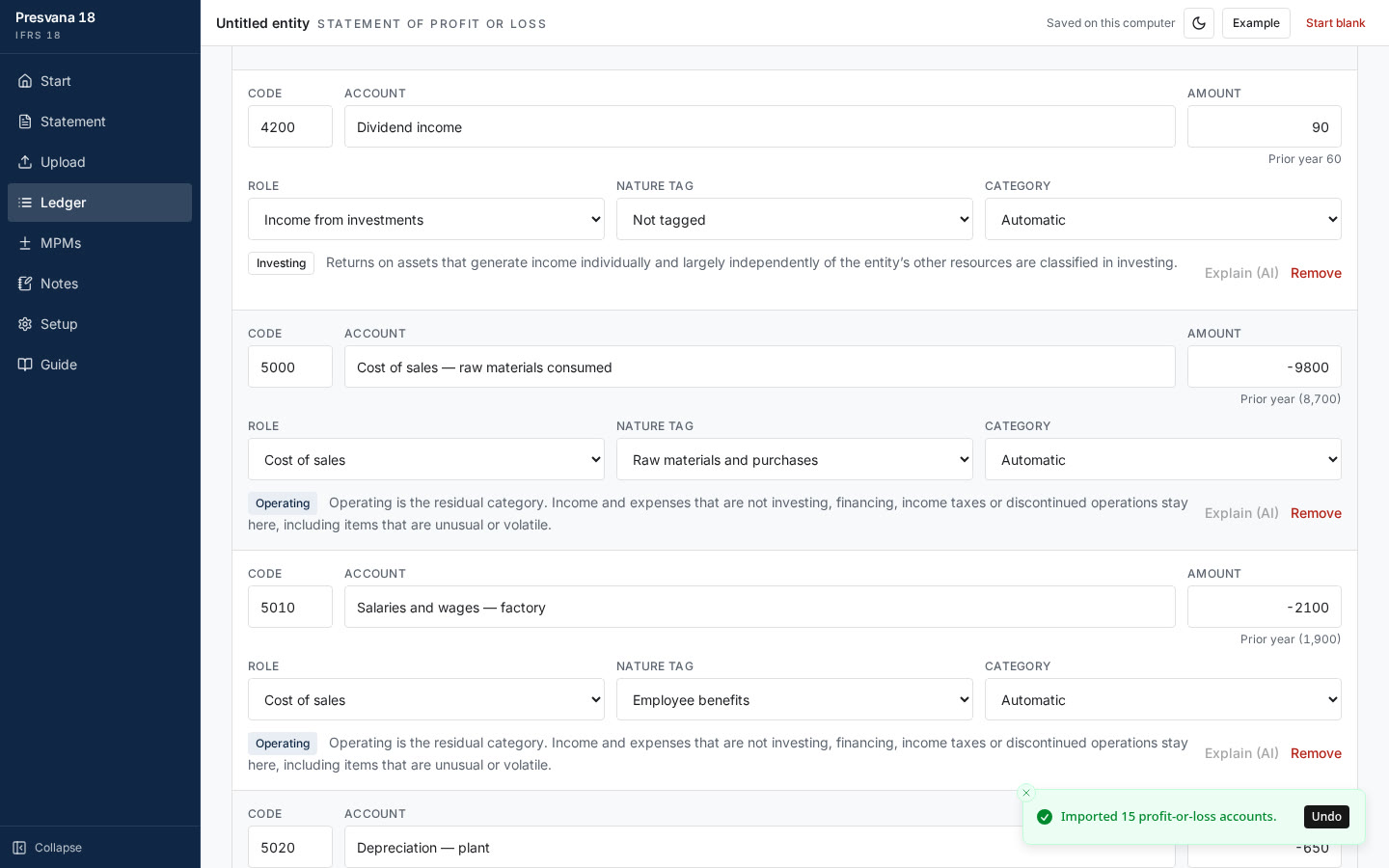
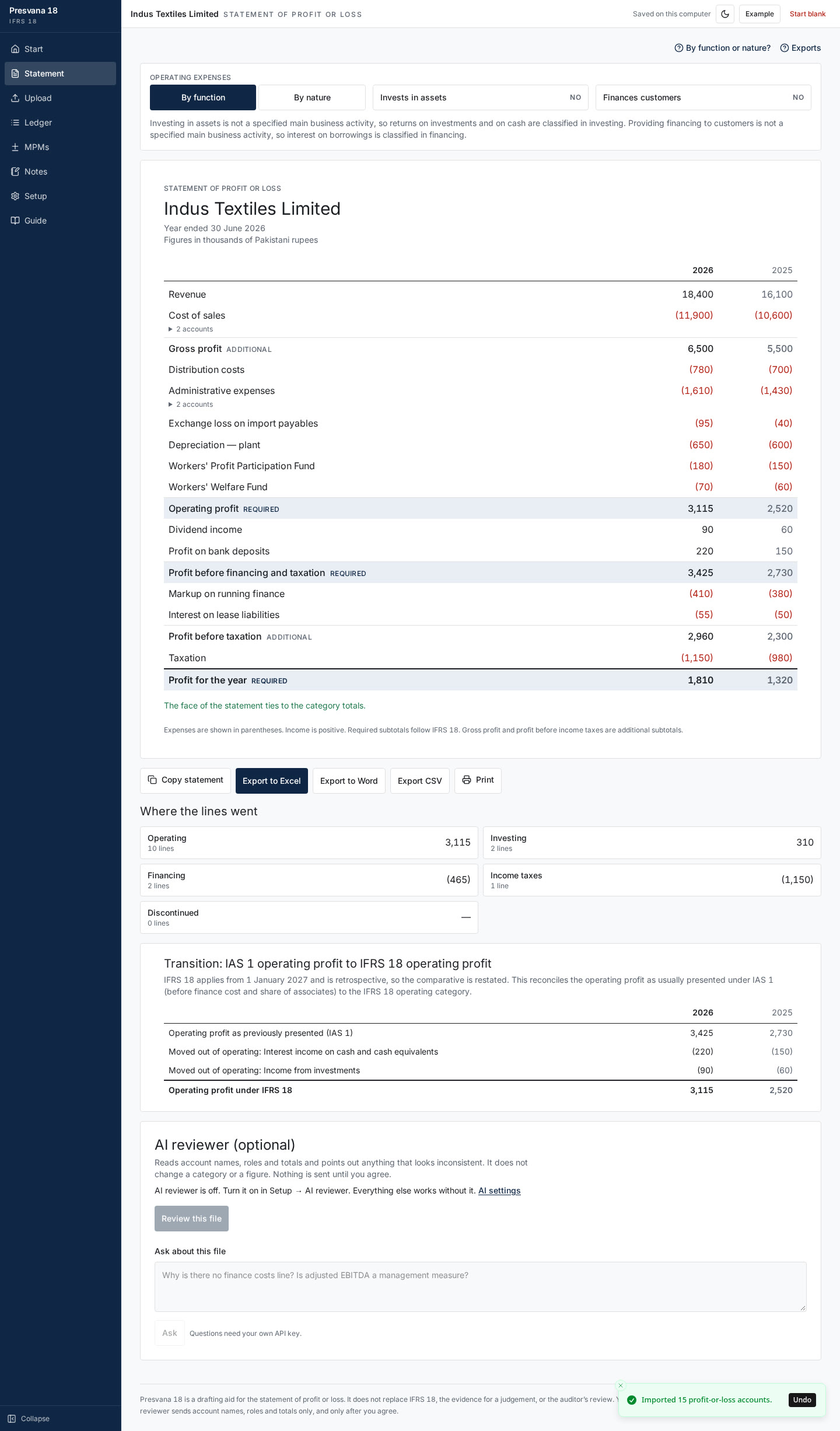
Your figures stay on your PC
Presvana works offline and keeps your data on your computer. Only the optional AI checks send a summary of account names and totals, and only when you run one. Read the Presvana privacy policy.
Get Presvana free
Free download from the Microsoft Store.
Questions? Email info@wickedsystemstudio.com.
Frequently asked questions
Is Presvana free?
Yes. Presvana is free to download and use.
When does IFRS 18 take effect?
IFRS 18 applies to annual reporting periods beginning on or after 1 January 2027, with comparatives restated. It replaces IAS 1.
What does Presvana produce?
An IFRS 18 statement of profit or loss from your trial balance, with the five categories, the new subtotals, MPM notes, comparatives and the transition reconciliation, exported to Excel or Word.
Does my data leave my PC?
No. Presvana works offline and keeps your data on your PC. Only the optional AI checks send a summary of account names and totals to an AI provider, and only when you run a check.
How do the AI checks work?
Each device gets 20 free AI checks. After that you can add your own Groq, Gemini or xAI key, which is used directly from the app.
Which Windows versions does it support?
Windows 10 and Windows 11, 64-bit.
Where can I get it?
From the Microsoft Store: https://apps.microsoft.com/detail/9N9WPJWDTDSX